
FlipScan
Just point. Your books and notes become searchable, AI-ready knowledge.

What you can do with FlipScan
Point your camera. Pages flow in.
No need to hold down a shutter. Aim at a book or notebook and FlipScan captures pages one after another, automatically.
Not just a PDF. Text you can actually use.
FlipScan saves your pages as structured text — not flat images or PDFs. Formulas, tables and bullet lists keep their layout, so you can edit, copy and reuse everything later.
Organize in decks. Search in a heartbeat.
Group pages into decks by subject or project. Even across thousands of notes, the passage you need is seconds away.
AI that expands how you read
Summarize, translate, ask questions. Reading your saved books and notes together with AI changes both the speed and the depth of your learning.
See FlipScan in action
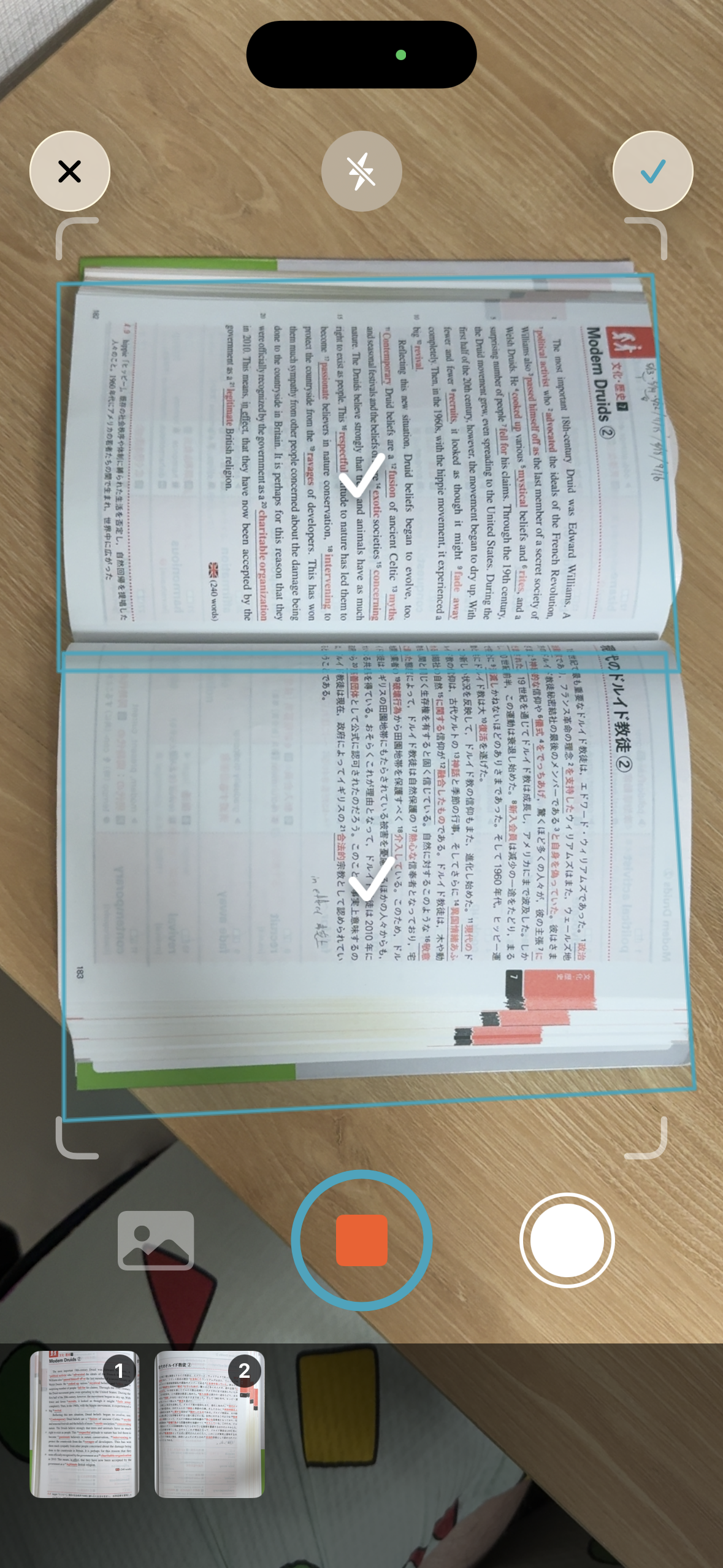
Just point. It becomes text.
Flip through the pages — FlipScan scans them automatically.
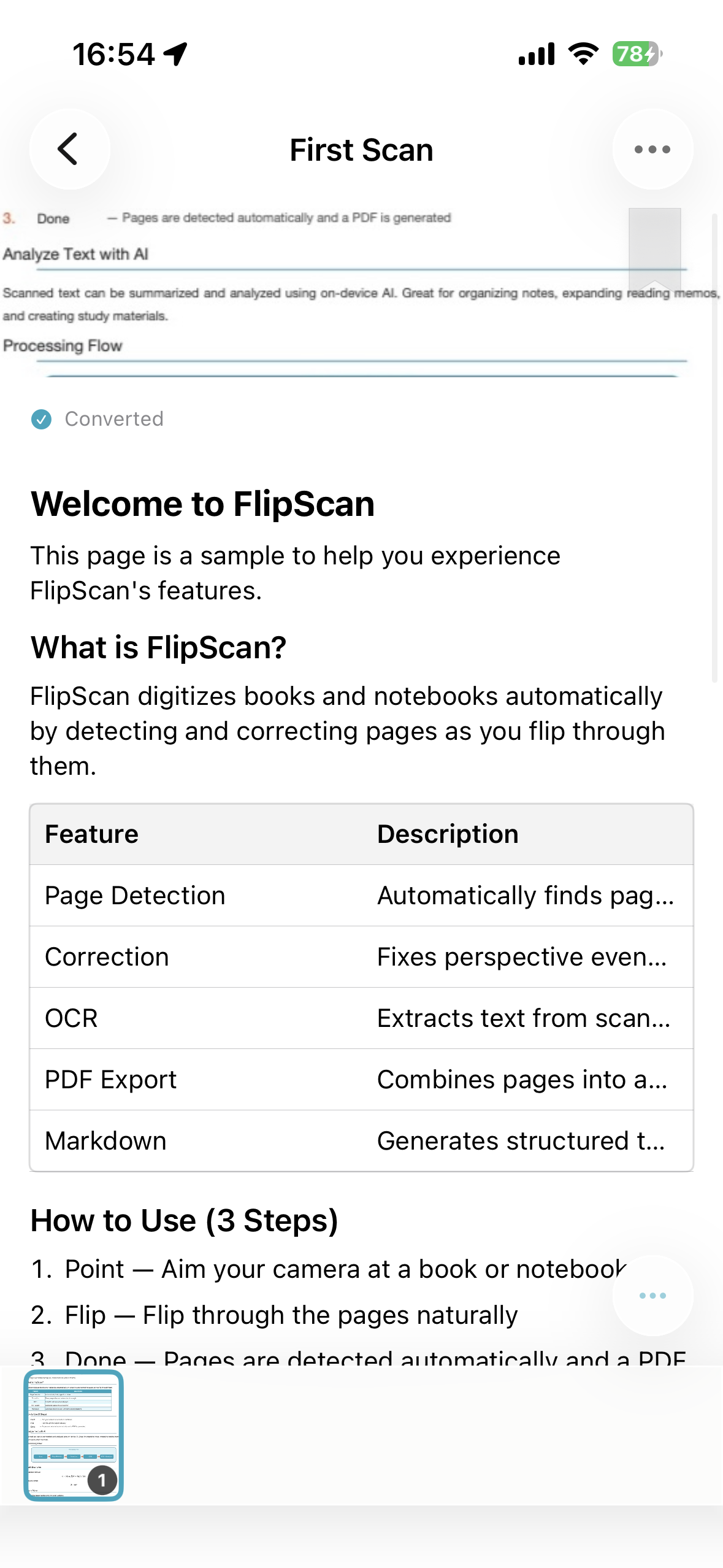
PDFs and clean, usable text
Titles, equations and tables — converted into structured text.
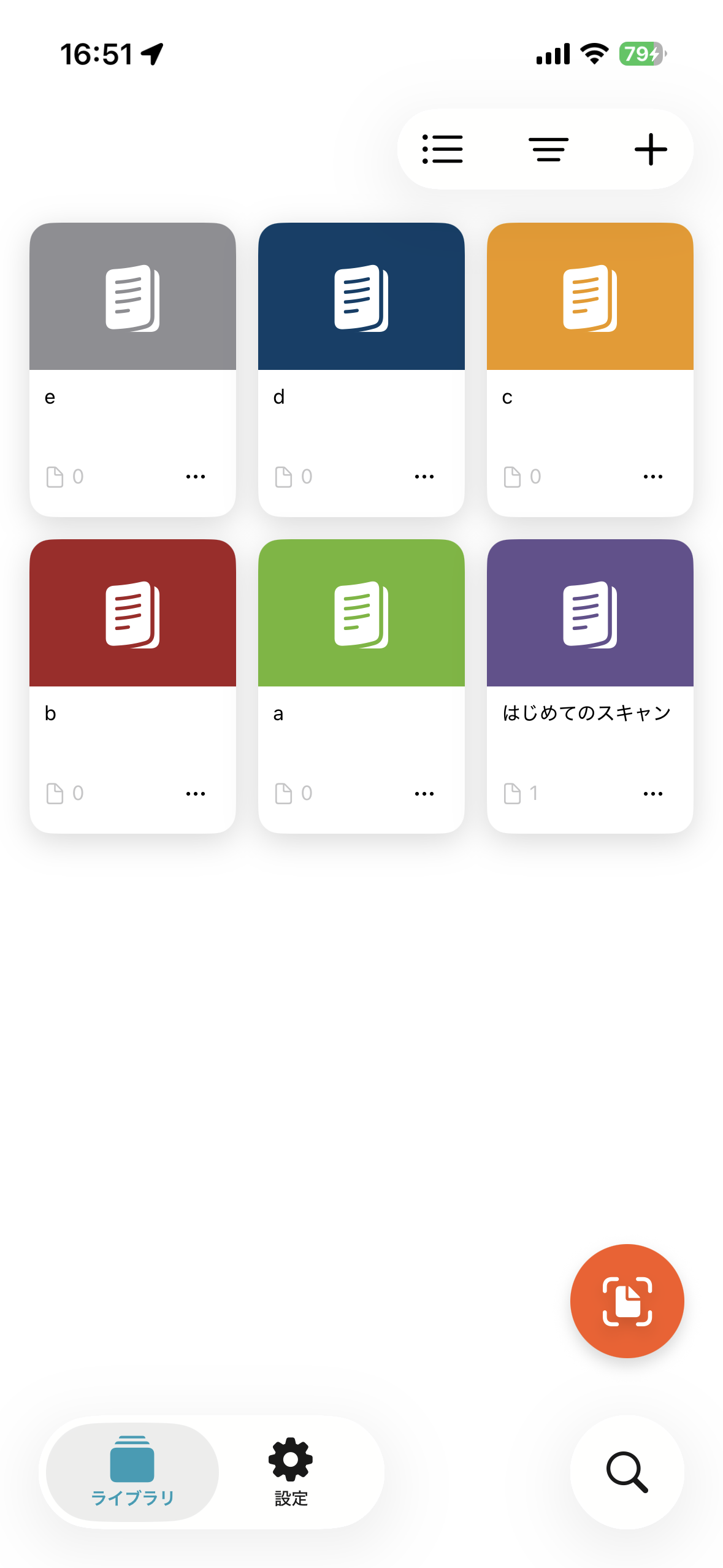
Organized into decks
Sort by subject or project, and reach the exact passage in seconds.
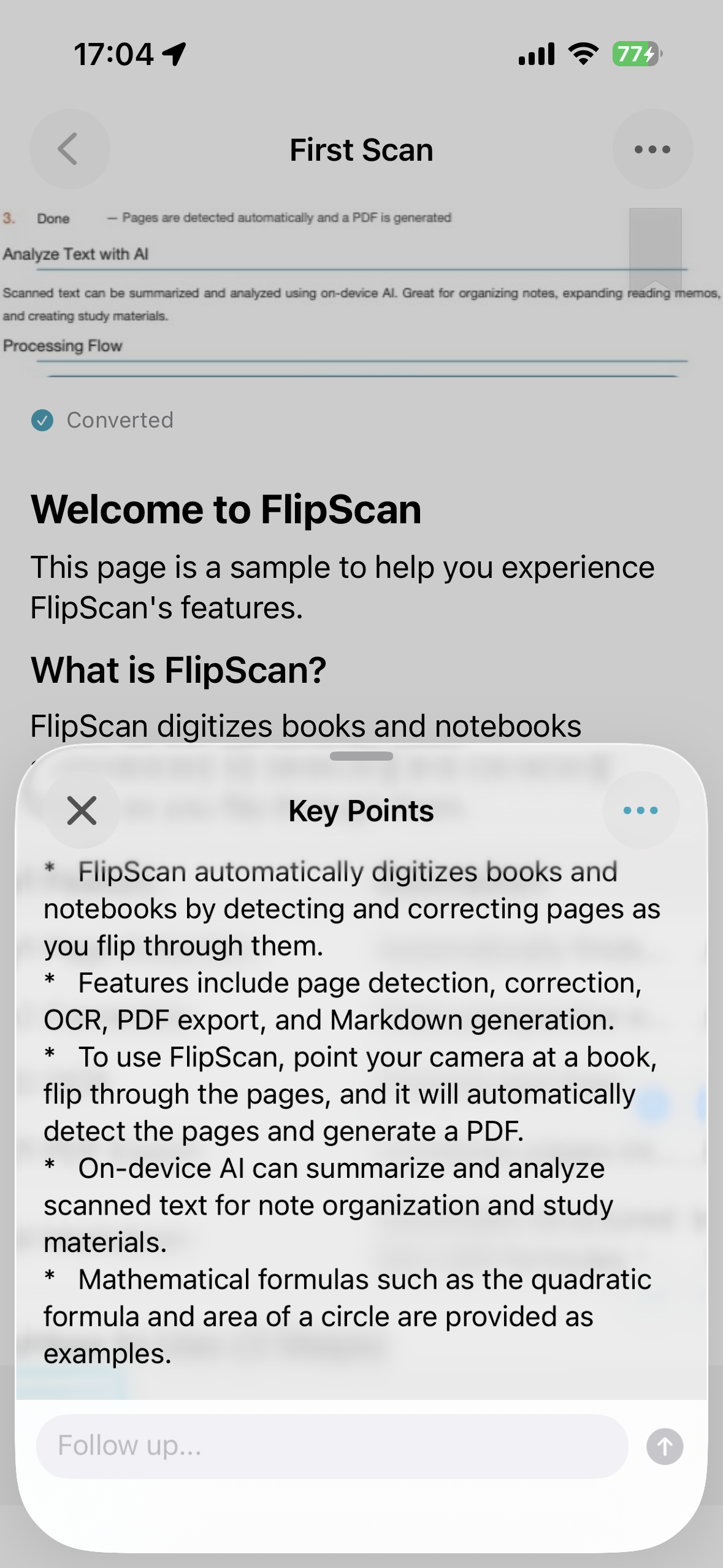
Read it with AI
Summarize, translate, ask questions — go deeper with what you've saved.
Frequently Asked Questions
Is FlipScan free to use?
FlipScan is free to download, and you can scan a set number of pages at no cost. If you need more, a premium plan lets you expand your monthly scan quota.
Which devices does FlipScan support?
FlipScan is currently available for iPhone and iPad (iOS).